HOW TO TURN ANY SONG INTO GUITAR TABS WITH AI
A complete guide to converting any audio file into playable guitar tabs, chords, and lyrics.
You heard a song and you want to play it on guitar. Maybe it is an obscure track from a small artist, a recording your friend sent you, or a melody you hummed into your phone. You search for tabs online and find nothing. The song simply is not in any tab library.
This is the reality for most music. According to Ultimate Guitar, one of the largest tab databases, their library covers roughly 1.3 million songs. That sounds like a lot, but there are over 200 million tracks on Spotify alone. The vast majority of music has no tabs. And even when tabs exist, they are often inaccurate, incomplete, or in the wrong key. That is where AI guitar tab generators come in. (For the catalog ceiling story specifically, see our Ultimate Guitar alternative and Songsterr alternative pages.)
WHY TAB LIBRARIES FALL SHORT
Traditional tab websites rely on users to manually transcribe songs by ear. This means coverage is limited to popular music, and quality depends on whoever submitted the tab. For lesser-known tracks, local bands, AI-generated music, or specific live recordings, you are out of luck.
Even for well-known songs, you will often find multiple conflicting versions with no way to know which one is correct. Some are missing sections, others have wrong chord voicings, and most skip the lyrics entirely.
HOW AI AUDIO-TO-TAB TRANSCRIPTION WORKS
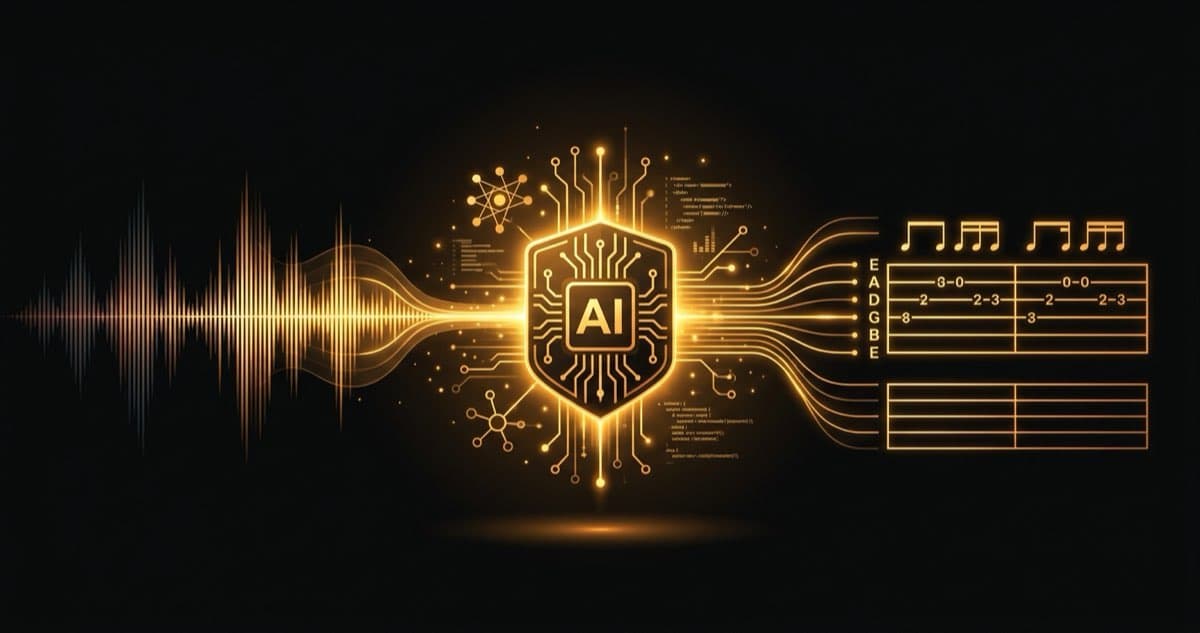
AI guitar tab generators take a completely different approach. Instead of relying on manual transcription, they analyze the audio itself. The field is known as Automatic Music Transcription, an area of research the ISMIR community has worked on for over two decades (see Wikipedia's music transcription article for the technical background). Here is how it works with audio2guitar:
STEP 1: UPLOAD YOUR AUDIO
Drop any audio file into audio2guitar. MP3, WAV, M4A, FLAC, OGG, and WEBM are all supported. You can also paste a link to a YouTube video or SoundCloud track.
STEP 2: AI ISOLATES THE GUITAR AND DETECTS NOTES
The AI separates the guitar from the rest of the mix using source separation, a technique that has advanced rapidly since the Open-Unmix research at Inria. It then analyzes the isolated guitar track to detect individual notes, chords, and timing. It also runs a separate pass to extract lyrics from the vocals.
STEP 3: GET YOUR TABS, CHORDS, AND LYRICS
In a few minutes, you get a full transcription: guitar tablature with fret positions, chord names (over 170 types detected), synced lyrics, and song sections (intro, verse, chorus, bridge, etc.). A typical 3-minute song completes the full 6-stage pipeline in 3 to 6 minutes on the production GPU. You can play along with the audio right in the browser. Open benchmark numbers and the underlying CSV dataset are published on the stats page.
WHAT FILE FORMATS ARE SUPPORTED?
audio2guitar works with virtually any audio format you might have. This includes MP3, WAV, M4A, FLAC, OGG, and WEBM. Whether you are uploading a high-quality studio recording or a phone recording of a live performance, the AI will work with it.
The sweet spot for accuracy is clean recordings where the guitar is prominent in the mix. But the AI handles busy arrangements surprisingly well thanks to its source separation step, which isolates the guitar before analyzing it.
TIPS FOR THE BEST RESULTS
- Use the highest quality audio you can find. A 320kbps MP3 or lossless FLAC will give better results than a 128kbps stream rip.
- Acoustic guitar tracks transcribe best. Clean tones are easier for the AI to analyze than heavily distorted signals.
- Solo guitar recordings are ideal. The fewer instruments in the mix, the more accurate the transcription. But full-band recordings still work well.
- Check the tuning. audio2guitar detects standard tuning by default. If the song uses alternate tuning, the fret positions may need adjustment.
WHAT CAN YOU TRANSCRIBE?
The short answer: any song with guitar in it. People use audio2guitar for everything from classic rock and pop to jazz, blues, country, and metal. It works for songs that have never been tabbed before, including:
- AI-generated music from Suno, Udio, and similar tools (see genre-specific guides for Suno, Udio, and Google Flow)
- Worship and church songs from specific recordings
- Wedding ceremony music in a particular arrangement
- Local and independent artists with no tab coverage
- Your own recordings or demos
- Live performances and covers
Ready to try it?
GET UNLIMITED SONGS FOR NORMAL USE
If you want to turn more songs into playable tabs, chords, and lyrics without hitting the free limit, upgrade to Pro and keep generating.
Also available in