For songwriters
HUM IT.
PLAY IT.
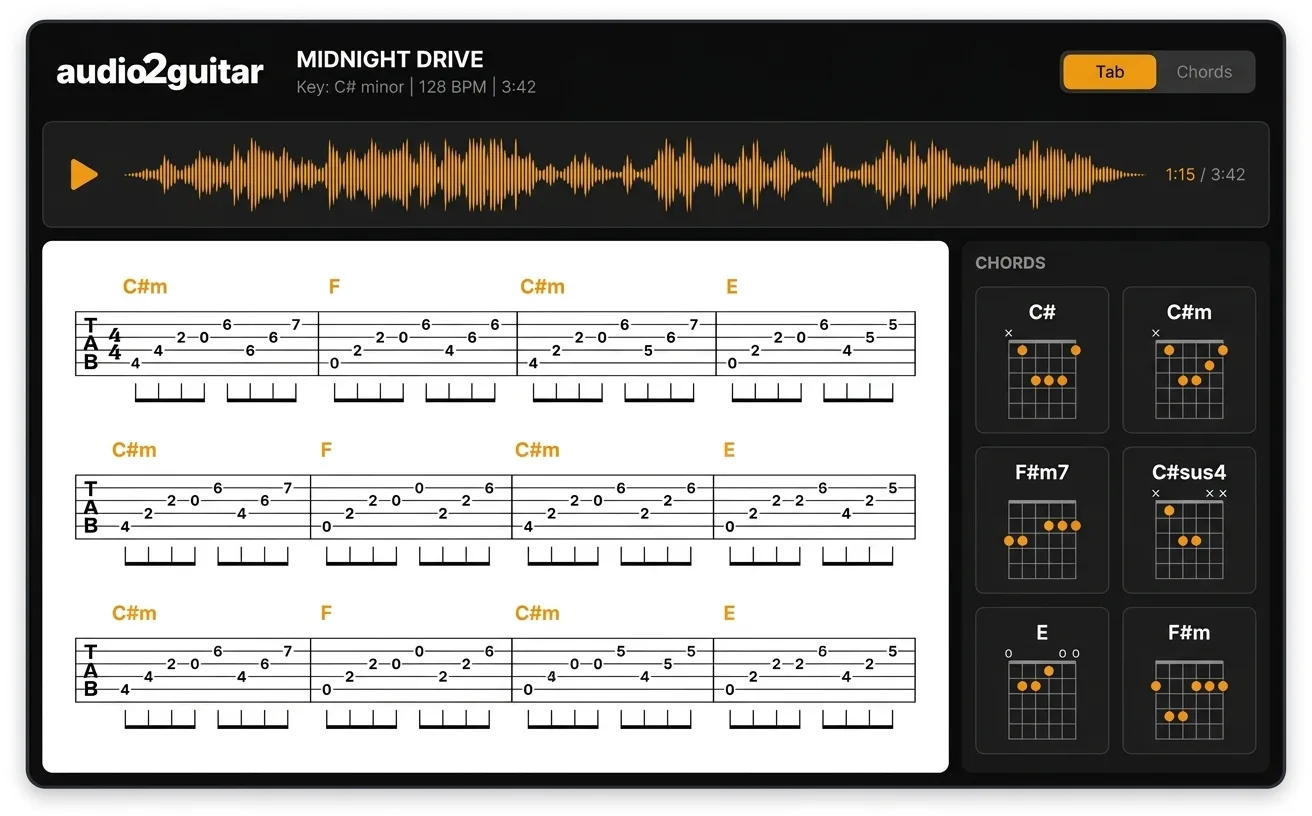
Voice memos to playable tabs. Sing a melody into your phone, upload here, get a guitar tab and chord chart in 3 minutes. The fastest way to keep an idea before you forget it.
3 full songs free. No credit card. Phone-quality audio is fine.
Built for songwriters
CATCH THE IDEA.
BEFORE IT'S GONE.
PHONE AUDIO WORKS
Trained on real-world audio. Background hiss, room reverb, imperfect mic placement all handled. No studio needed.
MELODY + CHORDS
If you hummed over guitar or piano, we get both melody and chord changes. If just hummed, we give you the melody as single-note tab.
EDITABLE STARTER
Treat the result as a draft. Every note, chord, and lyric is editable in the in-app editor — fix what we missed, export the clean version.
How it works
FROM HUM TO TAB.
IN MINUTES.
Record the idea
Open your phone's voice memo app. Hum, sing, or play. Save the file when you're done.
Upload it
Drop the voice memo into the upload box. We separate pitched content from silence and transcribe.
Refine and export
Get a tab, chord chart, and lyrics. Edit any note. Export to MIDI or PDF when you're happy.
Tips for best results
BETTER INPUT.
BETTER TAB.
Hum over a chord progression
If you can strum or play basic chords while singing, we hear both melody and harmony. Result is dramatically better than melody alone.
Get the mic close-ish
Hold the phone within arm's length. You don't need studio gear, just clear audio without major room echo.
Sing in your range
Don't strain for high notes that come out flat. Sing where your voice is comfortable, transpose later in the app.
Mark the start
Tap once or count in before the song starts. Helps the beat detector lock onto the tempo from the first bar.
SIMPLE PRICING.
Try it free. Upgrade when you need more.
Free
$0
3 full songs, lifetime
- Tabs, chords, and synced lyrics
- Voice memos up to 5 minutes
- No credit card
Pro
$8.99/mo
or $59.99/year ($5.00/mo)
- unlimited songs
- Voice memos up to 15 minutes
- MIDI export and PDF/print
- Stem downloads + per-stem MIDI
- All audio formats
FAQ
Can it really turn a hummed melody into a tab?
Yes. We separate pitched audio from speech and silence, then run melody and chord detection on whatever pitched content you give us. A hummed line over a guitar accompaniment works best. A pure a cappella hum gives you the melody as single-note tab without chord changes.
What's the best way to record?
Phone voice memo app works fine. Get close enough that the recording is clear. If you can hum or sing while strumming a basic chord progression on guitar or piano, the result is significantly better — we can hear the harmony, not just the melody.
Does the audio quality need to be studio grade?
No. Phone-quality voice memos work. We trained on real-world audio including phone recordings, so background hiss and room reverb are handled.
What if I can't sing in tune?
We snap to the nearest in-key note based on the chord context. Slightly off-pitch humming usually transcribes correctly. Very off-pitch humming gives you a tab in the key you actually sang, which you can transpose with one click.
How long can the voice memo be?
Free users: up to 5 minutes per song. Pro: up to 15 minutes per song. Long enough for a full song idea with multiple sections.
Will this work for full songwriting demos?
Yes, this is the main use case. Most songwriters demo by humming melody over guitar or piano. Upload the rough demo and get a tab plus chord chart you can clean up in the in-app editor.
Can I edit the result?
Every note, chord, and lyric is editable. We give you a starting transcription, you fix what we got wrong, and export the cleaned version as MIDI or PDF.
What about voice memos with lyrics?
We do lyric transcription on the vocal stem too. You get a tab, chord chart, and word-level synced lyrics in one pass.
GOT A SONG IDEA
IN YOUR HEAD?
Record it. Upload it. Play it. About 3 minutes from voice memo to tab.